
 Tel:+86-13713635953
 Email:support@quicko.com.cn


How to Diagnose a Soldering Iron That Does Not Heat?
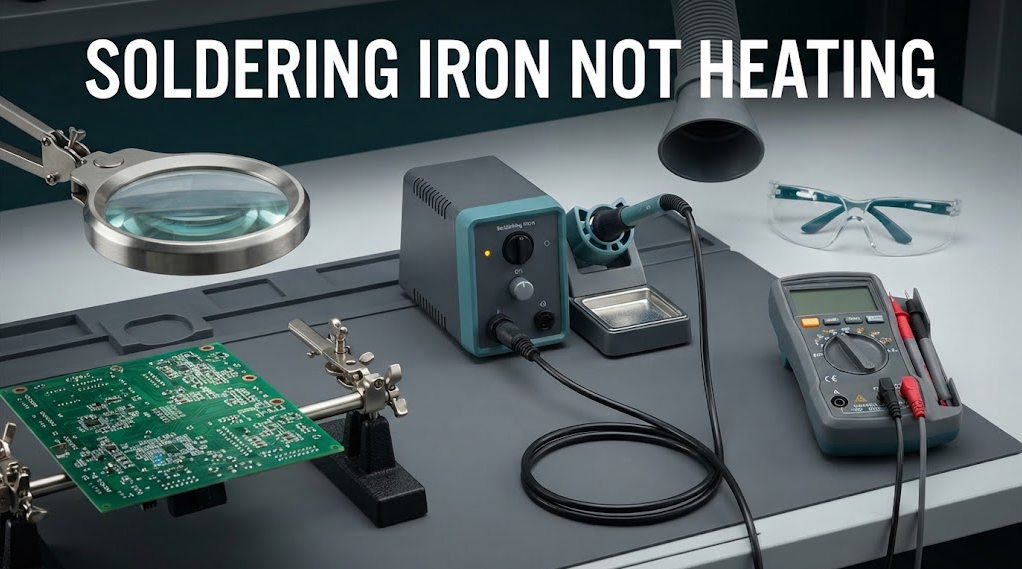
How to Diagnose a Soldering Iron That Does Not Heat?
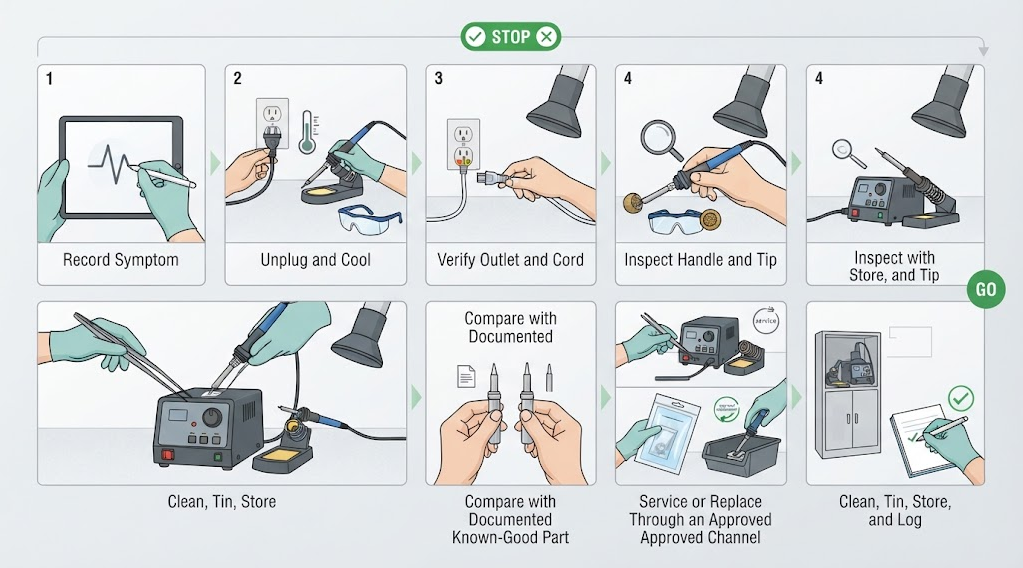
When a soldering iron is not heating, first separate a power-path fault from a tip-wetting problem. Record what the display, indicator, handle, and tip do; unplug the station and let it cool; inspect the outlet, cord, connector, cartridge seating, and tip condition; then substitute only documented, compatible parts. Never bypass a sensor, probe exposed mains voltage, or open energized equipment. Stop for damaged insulation, odor, smoke, abnormal heat, or repeated trips.Commercial disclosure: QUICKO publishes this educational guide and sells soldering equipment and consumables. QUICKO links are commercial references. This guide does not promise a universal fuse, heater resistance, temperature, repair time, or compatibility result for any specific QUICKO model.
Start With the Symptom, Not the Assumption
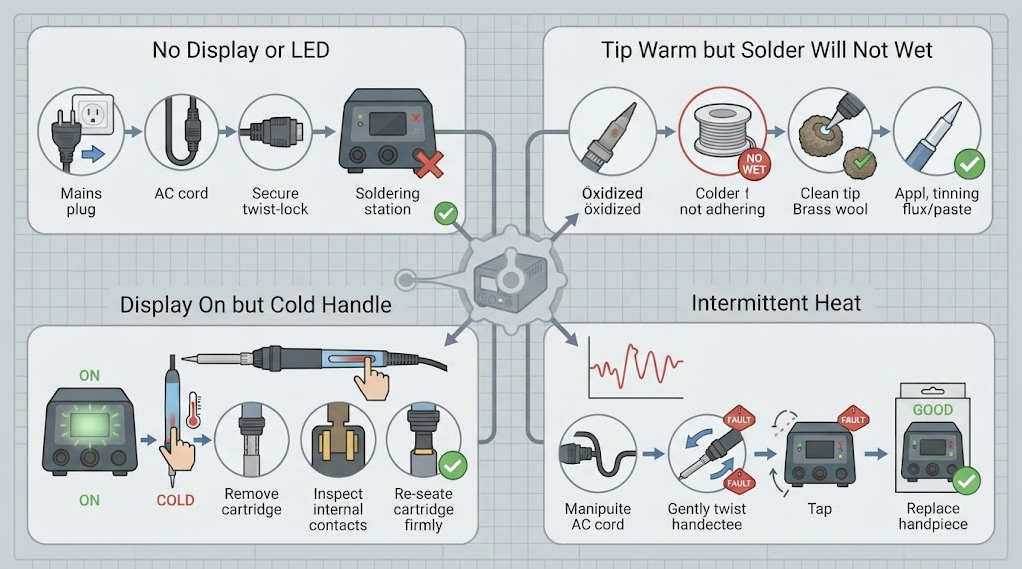
“Does not heat” can describe several different conditions. A station with no display may have a power-path problem, while a station that displays a setpoint but leaves the handle cold may have a cartridge, connector, heater, sensor, or controller problem. A tip that warms but refuses to accept solder may be oxidized or poorly wetted rather than electrically dead. Intermittent heat can point to a cable, strain relief, contact, or protection event.Write down the exact symptom before changing anything: display state, indicator state, handle temperature by safe touch-free observation, tip behavior, error code if the manual defines it, and whether the fault is constant or intermittent. Do not infer an internal component from one symptom. A clear starting record prevents repeated tests that change several variables at once.
Safety Boundary Before Any Check
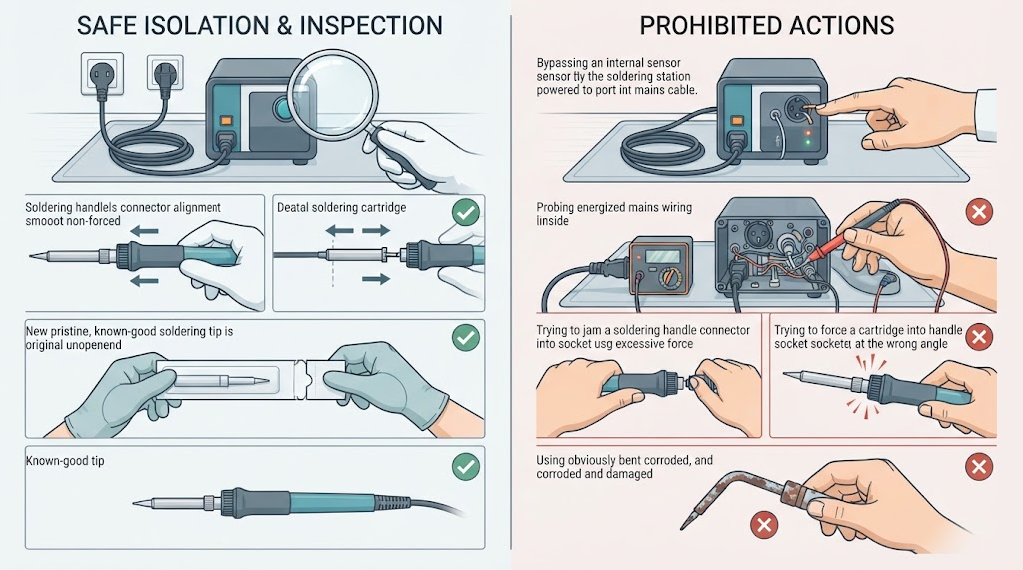
1. Switch the equipment off, unplug it, and allow the handle and tip to cool in a stable stand.2. Keep the work area dry and remove conductive clutter. Do not work on a station while it is connected to mains power.
3. Do not open a mains-powered station, defeat a fuse, bridge sensor contacts, or probe live conductors unless you are trained, authorized, and using the required controls.
4. Wear eye protection and use fume extraction when testing a hot tip or soldering a known-good joint.
5. Stop for damaged insulation, exposed conductors, a burning smell, smoke, repeated breaker trips, abnormal handle heat, or liquid contamination.
The OSHA electrical safety guidance provides general electrical-risk context. It does not replace the service procedure, isolation rules, or qualification requirements for your workplace and equipment.
A Symptom-to-Cause Decision Map
| Observed symptom | Plausible fault groups | Safe first checks | Stop or escalate when |
|---|---|---|---|
| No display, LED, or fan | Outlet, plug, cord, switch, fuse, internal power supply | Test a known-good outlet and inspect the external cord while unplugged | Cord damage, repeated fuse failure, smell, or any need to open the station |
| Display on but handle stays cold | Handle connector, cartridge seating, heater, sensor, controller, protection mode | Read the manual, power down, inspect and reseat documented consumables | Error repeats, contacts are damaged, or internal measurement is required |
| Tip warms but solder will not wet | Oxidation, poor tinning, unsuitable flux, wrong alloy, small contact face | Clean and tin by approved method; try a documented compatible tip | Plating is pitted/exposed or wetting remains unstable |
| Heats intermittently | Cable, strain relief, connector contact, thermal protection, controller fault | Observe without flexing the cable; cool, isolate, and document the event | Heat changes when the cable moves, or protection trips repeatedly |
| Tip overheats or handle is abnormal | Sensor mismatch, incorrect cartridge, controller fault, blocked ventilation | Switch off, cool, verify exact compatibility and manual | Smoke, odor, damaged insulation, or uncontrolled heating |
This map narrows the next safe question; it does not identify a failed part by itself. Use the exact station and handle documentation before ordering a replacement.
Check the External Power Path
If there is no display or indicator, start outside the station. Confirm the outlet with another approved device, inspect the plug and cord for cuts or crushed sections, and verify that any external switch or power strip is on. Perform these checks with the station disconnected and without disassembling the plug or supply. A known-good outlet does not prove the station is safe; it only removes one variable.If a fuse is user-replaceable, use only the exact type and rating specified by the current manual. Do not install a larger fuse, foil, or a resettable substitute. A replacement fuse that opens again is a fault signal, not an invitation to repeat the swap. Escalate to an authorized service channel when the cord, plug, fuse holder, or enclosure is damaged.
Check the Handle, Cartridge, and Contacts
When the display is on but the handle remains cold, switch off, unplug, and allow the consumable to cool. Check that the handle connector is fully seated and that the cartridge or tip is inserted as the supplier specifies. Look for bent contacts, contamination, loose parts, cracked insulation, or a cartridge that the station does not recognize. Do not scrape contacts with improvised tools or force a part into place.If the manual identifies a compatible known-good handle, cartridge, or tip, substitute one item at a time and record the outcome. A successful substitution narrows the fault to the removed item or its interface; it does not prove the entire station is healthy. Similar labels or mechanical fit do not prove electrical, sensor, or controller compatibility.
The QUICKO Products page is a starting point for current QUICKO equipment categories. Request the exact model manual, compatibility statement, and service path before making a model-specific repair decision.
Distinguish a Heating Fault From a Wetting Fault
Sometimes the heater works but the tip looks dead because solder beads up. Oxidation, a damaged wettable finish, unsuitable flux, contamination, or an undersized contact face can prevent solder from spreading. Follow the supplier-approved cleaning and tinning method; do not file, sand, or scrape a plated tip. Compare with a documented compatible tip only after the equipment is cool and unplugged.The Weller tip-care reference provides general maintenance context. It does not establish the correct cleaner, temperature, geometry, or replacement interval for a QUICKO product. If a known-good tip also stays cold, return to the handle, connector, heater, sensor, and controller branches instead of adding more flux.
When the Fault Is Intermittent or the Tip Overheats
Intermittent heating deserves a controlled observation, not cable wiggling while energized. Note when the fault appears, the station state, the work sequence, and whether a protection message or restart occurs. After cooling and unplugging, inspect the strain relief, cable, connector, cartridge contacts, and stand area. If the symptom changes when the cable is moved, remove the equipment from service until it is inspected.An unexpectedly hot tip or handle is a stop condition. Possible causes include an incorrect cartridge, sensor recognition problem, controller fault, blocked ventilation, or a protection system that is not operating as expected. Do not continue soldering to “see if it settles,” and do not bypass the sensor or protection circuit. Record the model, revision, consumable code, and observed symptom for qualified service.
Decide Between Repair, Replacement, and Service
Use a simple evidence rule: repair or replace only the item that the manual and a controlled substitution support. A failed tip is a consumable decision; a damaged handle cable or connector is a service decision; an internal heater, sensor, controller, or power-supply fault normally requires qualified repair or replacement. If the fault is not isolated, do not buy several parts and install them in sequence without records.Document the station model, handle, cartridge or tip code, symptom, checks performed, date, and final disposition. Keep the failed part separated and label it. This record helps a service team reproduce the problem and prevents a suspect component from returning to production. The QUICKO FAQ can answer general care questions, but the current model manual and authorized support channel control electrical and repair procedures.
Maintenance That Prevents No-Heat Complaints
· Keep the tip clean and lightly tinned according to the supplier’s approved method.· Use only documented handle, cartridge, tip, and controller combinations.
· Store the handle in a stable stand and protect the cable from sharp bends and repeated strain.
· Keep ventilation and the station area clear of flux residue, metal fragments, and liquids.
· Inspect the tip, contacts, cord, strain relief, and enclosure during scheduled maintenance.
· Record recurring symptoms, replaced consumables, and service outcomes by station and revision.
· Train operators to report a cold handle, unstable recognition, abnormal heat, odor, or smoke immediately.
Maintenance reduces avoidable faults, but it does not replace a service inspection when a station has an electrical or control failure.
Controlled Verification After a Fix
After a documented repair or replacement, verify the complete configuration before returning the station to work:6. Record station, handle, consumable code, controller revision, supply, and service action.
7. Inspect the cord, enclosure, connector, contacts, tip, stand, and ventilation while the unit is disconnected.
8. Power up under the approved procedure and confirm normal recognition and indicators.
9. Make three simple joints on a representative coupon using the same solder, flux, and tip.
10. Record time to wet, dwell, wetting, repeatability, tip condition, and any error or protection event without inventing a numeric pass limit.
11. Inspect the coupon and equipment for bridges, pad damage, abnormal odor, discoloration, or uncontrolled heating.
12. Return the station to service only when the documented acceptance criteria are met; otherwise quarantine it and escalate.
This is configuration-specific evidence. It does not establish a universal QUICKO temperature, recovery time, heater life, or compatibility claim, and no first-party QUICKO failure dataset is supplied in this draft.
FAQ
Why is my soldering iron not heating even though the display is on?
The display proves that some control electronics have power, not that the heater is delivering heat. A seated connector, cartridge recognition, heater, sensor, controller, or protection fault may still be present. Power down, cool, inspect the documented handle and consumable interface, and try one known-good compatible part. Escalate when the error persists or internal measurement is required.Why does the tip get warm but solder will not stick?
That is often a wetting problem rather than a dead heater. Oxidation, damaged plating, contamination, unsuitable flux, alloy mismatch, or a small contact face can make solder bead up. Use the approved cleaning and tinning method and compare a documented compatible tip. Do not file or sand the tip, and do not keep raising temperature indefinitely.Can I test the heater with a multimeter?
Only when the exact service manual defines the test, the equipment is unplugged and cool, and you are qualified to perform it. A resistance reading without the correct terminals, range, and isolation method can damage the meter or mislead the diagnosis. Never probe live mains conductors or bypass a sensor to force heat.Should I replace the fuse when the station will not turn on?
First verify that the fuse is user-replaceable and identify the exact type and rating in the current manual. Replace it once with the specified part while the station is disconnected. If it opens again, stop. Repeated fuse failure indicates another fault and requires qualified service; a larger fuse or improvised bridge can create a serious hazard.Why does heat cut out when I move the handle?
Movement-sensitive heat can indicate a cable, strain-relief, connector, contact, or protection problem. Do not flex the cable while energized to reproduce it. Record the symptom, switch off, unplug, cool the equipment, and inspect externally. Remove the station from service when insulation, contacts, or recognition are unstable, then use the approved service path.Is a different branded tip safe if it fits?
No. Mechanical fit does not prove compatible contacts, sensor behavior, insertion depth, controller support, or calibration. Use only the combination documented by the station and tip supplier. A substitute may change heating or protection behavior even when it slides into the handle. Verify the exact model and revision before applying power.Where can I find QUICKO troubleshooting information?
Start with the QUICKO FAQ and the current model manual, then contact QUICKO support with the station, handle, tip code, symptom, and checks already performed. The QUICKO News hub provides related technical articles, but an article cannot replace a service manual or qualified electrical inspection.Conclusion
When a soldering iron is not heating, classify the symptom first, isolate power-path, handle, consumable, heater, sensor, and controller possibilities one at a time, and keep every check within the equipment manual and your electrical-safety authorization. A clean tinned tip may solve a wetting fault, but no display, a cold recognized handle, intermittent heat, or uncontrolled heating can require service.Unplug and cool before inspecting, never bypass a fuse or sensor, and stop for smoke, odor, damaged insulation, exposed conductors, or repeated protection trips. After a documented fix, verify the complete configuration with three representative joints and recorded acceptance criteria. Add QUICKO-specific performance or repair claims only after named technical review and first-party evidence are available.


Linkedin:


