
 Tel:+86-13713635953
 Email:support@quicko.com.cn


How to Match a USB-C Charger and Cable to a Soldering Iron?
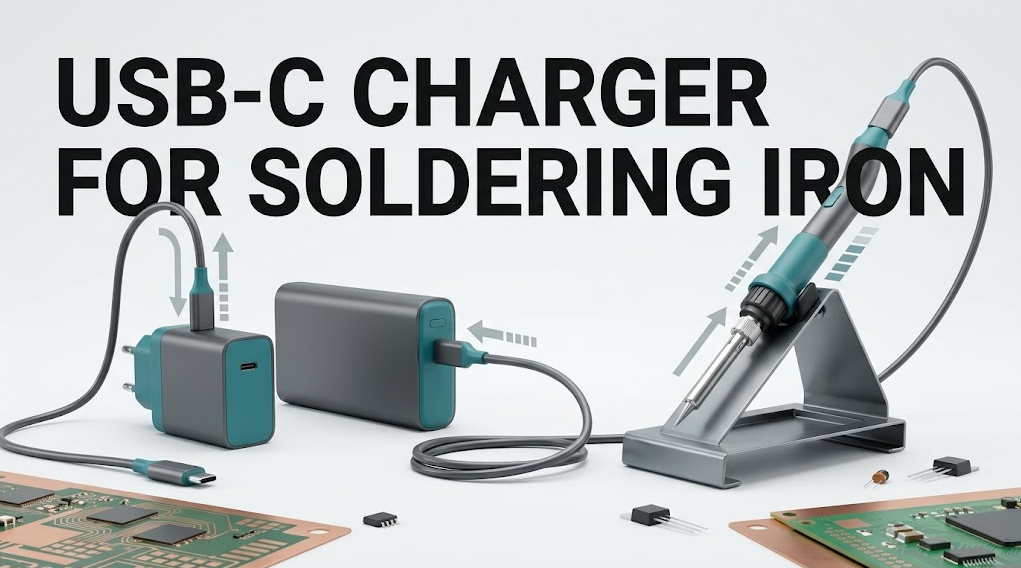
How to Match a USB-C Charger and Cable to a Soldering Iron?
To choose a USB-C charger for soldering iron use, match three things in order: the iron's required USB Power Delivery profiles, the charger's advertised output profiles, and the cable's current and power capability. A USB-C plug that fits is not proof that the source can supply the voltage, current, or protocol the heater needs. The complete chain must agree under load.This guide gives a model-neutral compatibility matrix, a one-variable-at-a-time test, and clear stop conditions. It is intended for hobbyists, technicians, service teams, production engineers, and buyers comparing portable soldering systems.
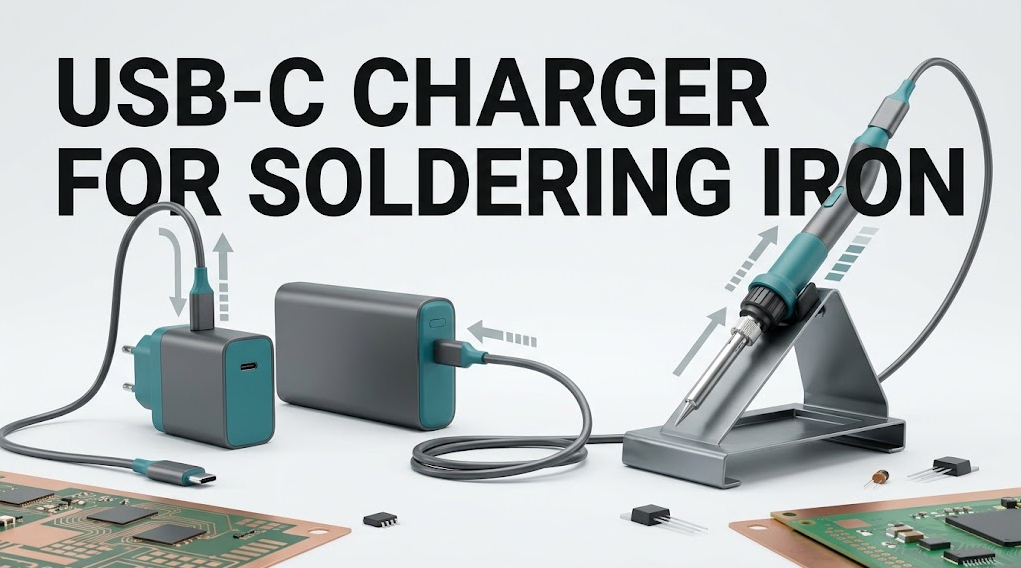
Quick Answer: What Must Match?
Read the iron manual for every accepted input profile, then find one identical or explicitly compatible profile in the charger's per-port output table. Confirm that the cable supports the required current and power level, including any electronic identification requirement. Test with only the iron connected. A setup passes only when it negotiates correctly, heats and recovers normally, remains stable under a defined joint load, and shows no abnormal connector heating.The Three-Part USB-C Compatibility Chain
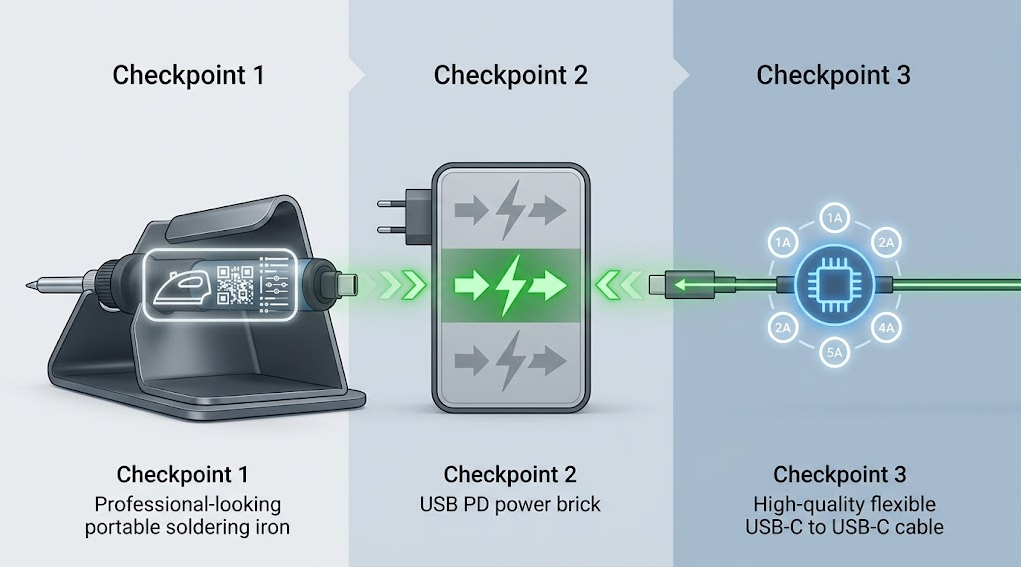
USB Power Delivery is a negotiation between a source and a sink. The charger advertises what it can supply; the iron requests an acceptable option; the cable must safely carry that contract. The USB Power Delivery specification overview explains this flexible power relationship. The USB Type-C cable and connector specification establishes the connector ecosystem, but a reversible plug does not guarantee a particular PD profile.Use this order because a large wattage printed on the charger carton can hide the detail that matters: whether the correct voltage-current pair is available from the exact port being used.
| Checkpoint | Evidence to record | Pass condition | Common mistake |
|---|---|---|---|
| Iron | Accepted protocol, voltage, current, maximum input, connector, firmware limits | The manual lists a profile the source can provide | Assuming maximum heater wattage is the only requirement |
| Charger or power bank | Per-port PD profiles, single-port and multi-port allocation, sustained output, region | One port advertises an accepted iron profile under the intended port configuration | Using the charger's combined total as one-port output |
| Cable | USB-C to USB-C construction, current/power rating, electronic identification where required, length, condition | The cable is rated for the negotiated contract and has intact, secure connectors | Treating every USB-C cable as equivalent |
Step 1: Read the Iron's Input Requirements
Start with the exact manual, label, or manufacturer support record for the iron and its firmware revision. Record:- Supported input protocol, such as USB Power Delivery, and any documented fallback
- Every accepted fixed or adjustable voltage range, not only the maximum wattage
- Maximum or requested current at each accepted voltage
- Whether full performance requires a specific profile or cable class
- Behavior below the preferred profile: reduced output, warning, refusal to heat, or unknown
- Approved connector, accessories, firmware, and operating limits
Step 2: Read the Charger's Per-Port Output Table
Turn the charger over or open its current data sheet. A useful output table lists voltage-current pairs for each USB-C port. Match the pair, not just the wattage headline.For example, a charger marketed with a high combined total may divide power across two or three ports. Plugging in a phone or laptop can cause the charger to renegotiate every port. The iron may briefly restart, fall back, or receive less power. Test the same port and port-loading arrangement that will be used in the field.
Check these details:
- Does the selected port support USB PD rather than only basic USB or another fast-charge protocol?
- Does that port advertise a voltage the iron accepts?
- At that voltage, is the available current at least the iron's documented requirement?
- Is the figure a single-port rating, a combined maximum, or a short-duration claim?
- Does connecting another device change the port allocation?
- Does a power bank require a particular input/output port or button sequence?
Step 3: Verify the Cable, Not Just the Connectors
A cable completes the power path. Verify its documented current and power capability, connector type, length, construction, and electronic identification requirements for the intended contract. Keep purchase records or a cable data sheet when the cable itself lacks durable markings.Long, thin, damaged, or poorly terminated cables can add resistance. Under heater load, voltage at the iron can fall even when the charger negotiated successfully. A cable may work for a phone, a display, or firmware updates but fail when the heater requests sustained power.
Inspect both plugs and the full cable before use. Reject loose shells, bent contacts, cuts, crushed insulation, discoloration, corrosion, intermittent connection, or a plug that becomes abnormally warm. Do not repair a high-power USB-C cable with tape, splice it, or substitute a magnetic breakaway connector unless the iron manufacturer explicitly approves that system.
Why the Display Can Turn On but the Iron Still Cannot Heat
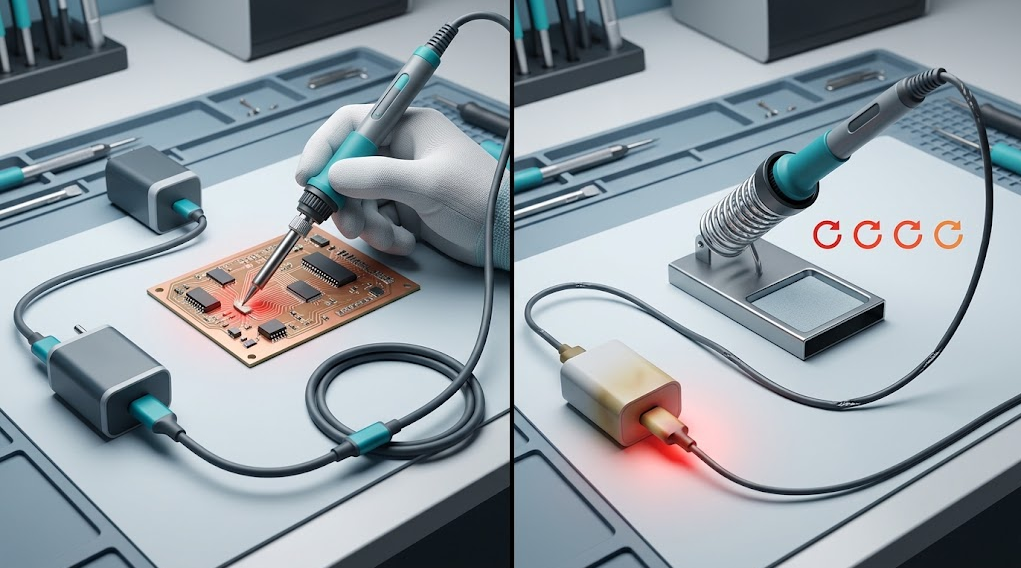
An idle controller, screen, and sensor can consume much less power than the heater. A basic or fallback USB supply may therefore boot the interface while failing as soon as heating begins. This is not evidence that the charger is compatible.Separate the observations:
- Idle/display test: Does the controller boot and stay connected without heating?
- Cold-start test: Does the heater reach the selected setpoint without a reset?
- Recovery test: After touching a defined joint, does the tip recover without cycling or a power warning?
- Sustained-load test: Can the setup repeat the same workload while the cable and connectors remain normal?
Symptom-to-Cause Troubleshooting Table
Change one item at a time. If several parts are swapped together, the result cannot identify the cause.| Symptom | Plausible causes | Controlled next check |
|---|---|---|
| No display or no PD contract | Wrong port, damaged cable, unsupported protocol, source asleep, debris or connector damage | Verify the manual and port table; inspect connectors; try one known-good documented cable |
| Display works but heater does not | Fallback voltage powers logic only, profile mismatch, firmware setting, protection state | Observe the negotiated profile with an appropriate inline tool or iron diagnostic; do not probe live mains |
| Slow heat-up | Lower accepted profile, limited current, high cable resistance, shared-port allocation, large thermal load | Disconnect other ports, keep the same tip and setpoint, then compare with a documented source/cable pair |
| Reset during heat-up or recovery | Voltage sag, source protection, renegotiation, intermittent plug, insufficient sustained output | Test one charger port with no other loads; substitute one verified cable; stop if resets persist |
| Cable or connector becomes warm | Excess resistance, damaged contact, underspecified cable, loose fit, contamination | Stop, disconnect, allow cooling, inspect, and replace the suspect part; do not continue to quantify the heating |
| Works from wall charger but not power bank | Different PD profiles, wrong power-bank port, auto-sleep, state-of-charge or thermal limit | Compare the two sources' per-port profile tables and repeat at a documented charge state |
| Works until another device is connected | Multi-port power reallocation or renegotiation | Use a dedicated port/source or verify the charger's simultaneous-output table |
Run a One-Variable-at-a-Time Compatibility Test
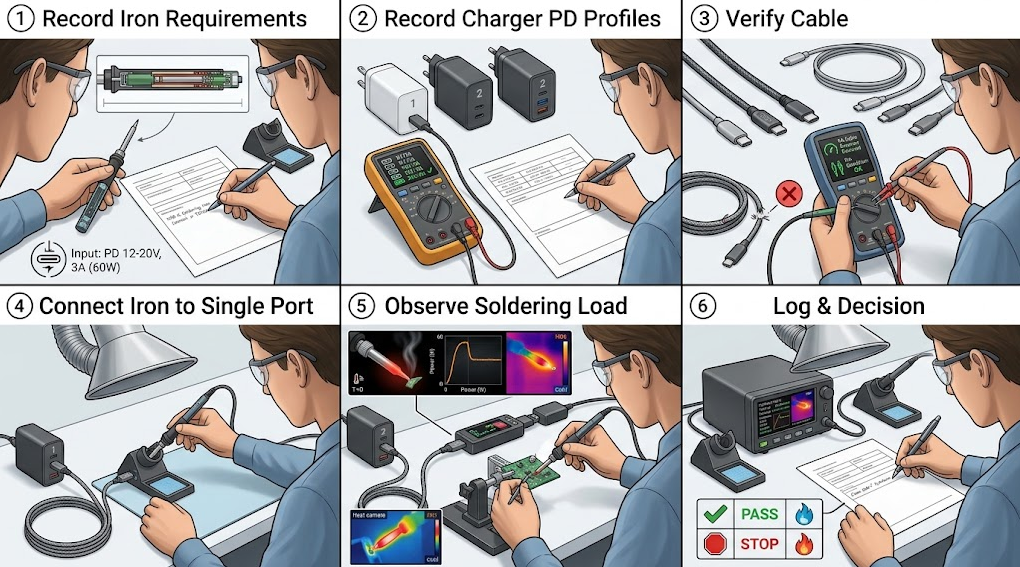
Use only intact, documented equipment on a nonflammable bench. Keep the iron in a stable stand, use eye protection and local fume extraction, and keep the cable away from the tip. The iFixit soldering and desoldering guide provides general work-area, isolation, eye-protection, and fume-control practices.- Freeze the iron configuration. Record model, serial or revision if appropriate, firmware, tip, setpoint, sleep settings, and test joint.
- Record the source. Photograph or transcribe the selected port's PD profiles and simultaneous-port rules. Disconnect other loads.
- Record the cable. Note model, rating, length, visible condition, and any electronic-identification evidence.
- Observe startup. Connect the cold iron and record whether the interface boots, negotiates, warns, or resets.
- Apply a defined load. Heat the same representative joint or thermal coupon for the same sequence. Do not use a valuable assembly for initial testing.
- Log the result. Record negotiated profile if safely observable, heat-up behavior, recovery, resets, warnings, and connector condition.
- Repeat. Run at least three trials before labeling a combination internally validated. Change only the cable or only the charger when diagnosing.
Pass, Conditional Pass, or Fail
Use explicit outcomes instead of “seems fine.”- Pass for the tested configuration: the documented profiles overlap, startup and three repeated load trials are stable, performance is suitable for the defined joint, and no abnormal heating or damage appears.
- Conditional pass: the iron intentionally operates at a lower documented profile with reduced performance that still suits the defined task. Record the limitation.
- Fail: no accepted profile is available, heating is unavailable or unstable, the cable is underspecified, or any safety stop condition occurs.
- Unknown: a rating, negotiated profile, or repeatable result is missing. Do not convert Unknown into Pass based on connector fit.
Safety Stop Conditions
Stop heating, place the iron in its stand, disconnect the source when safe, and quarantine the suspect component if you observe:- A hot, loose, discolored, deformed, contaminated, or intermittent connector
- Cut, crushed, melted, stiffened, or exposed cable insulation
- Unusual odor, smoke, arcing, sparks, swelling, leakage, or enclosure damage
- Repeated resets, rapid source cycling, protection warnings, or uncontrolled heating
- A charger or power bank used outside its manual, region, ventilation, or temperature limits
- An improvised trigger board, polarity adapter, open charger, or exposed mains wiring
B2B Procurement Checklist
For service teams or production buyers, qualify the power chain as a controlled kit rather than buying irons, chargers, and cables independently.- Exact iron model, revision, firmware baseline, and approved tip family
- Required and preferred PD profiles, plus documented fallback behavior
- Charger make, model, regional plug, certifications, per-port table, and simultaneous-output table
- Cable make, model, length, current/power class, identification, and replacement interval
- Dedicated-port policy and rules for approved power banks
- Defined heat-up, recovery, and representative-joint acceptance criteria
- Cable/connector inspection checklist and quarantine process
- Lot-change or supplier-change revalidation trigger
- Named technical owner, test date, equipment ID, and retained results
Frequently Asked Questions
Can any USB-C phone charger power a soldering iron?
No. USB-C describes a connector ecosystem, not a universal high-power output. The charger must advertise a profile accepted by the iron, and the cable must support that contract. A basic phone charger may boot a display yet be unable to supply heater load.Is a charger's wattage label enough to confirm compatibility?
No. Match voltage and current at the selected port. A charger's headline may be a combined total, while the required profile may be absent or available only when no other ports are used.Do I need an electronically marked USB-C cable?
That depends on the current and power contract specified by the equipment and applicable USB-C rules. Do not guess. Use a cable whose documentation explicitly supports the required contract and confirm any electronic-identification requirement in the iron and charger documentation.Why does the iron restart when it touches a large joint?
A heavy joint increases heater demand. Voltage sag, source protection, shared-port reallocation, an intermittent connector, or excessive cable resistance may cause a reset. Freeze the tip and workload, remove other port loads, and change one documented component at a time.Is a 240 W USB-C cable always better?
A higher rating does not fix a missing charger profile or an iron that does not request that power. The complete chain determines the contract. Select a compliant, intact cable that meets the documented requirement without using the ecosystem maximum as a universal target.Can I use a power bank instead of a wall charger?
Yes, only when the power bank's selected output port advertises an accepted profile and sustains it for the defined workload. Check auto-sleep, state-of-charge, thermal limits, simultaneous-port behavior, and the exact cable. Validate the combination separately.How can I tell whether the cable is the problem?
Inspect it first, then substitute one known-good cable with documented capability while keeping the iron, charger port, tip, setpoint, and joint unchanged. Stop immediately if either connector heats, loosens, discolors, or behaves intermittently.Are online compatibility lists enough for purchasing?
They are a starting point, not final evidence. Firmware, hardware revisions, charger port allocation, cable construction, and market versions can change. Confirm current manuals and run a documented incoming-qualification test for the exact kit.Conclusion
The correct USB-C charger for a soldering iron is not simply the charger with the largest wattage number. It is the source whose selected port advertises a profile the exact iron accepts, connected through a cable rated for that contract and verified under a representative heater load.Record the iron, charger port, cable, negotiated behavior, workload, and stop conditions. Test one variable at a time, distinguish an idle display from actual heater performance, and classify the result as Pass, Conditional Pass, Fail, or Unknown. That method produces a defensible compatibility decision without guessing from connector shape or marketing wattage.


Linkedin:


